How to Turn One Video Into a Week of Content (Using AI Tools)
Creating more videos isn't always the answer. With the right AI-powered workflow, one long-form video can become a week of content across blogs, social platforms, and short-form channels. Discover a practical step-by-step process for repurposing video content efficiently.
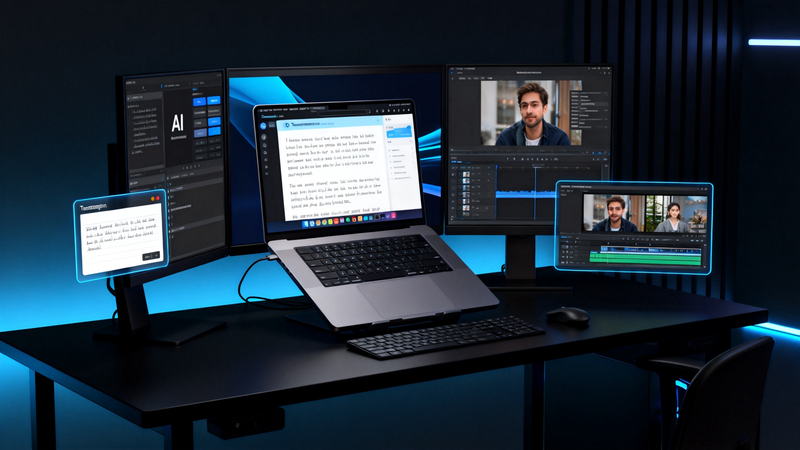
You spent three hours planning, recording, and editing a video. Forty-eight hours after posting it, the views stopped coming in, leaving you with a blank content calendar once again.
The solution isn't to make more videos. One video already contains a blog post, a handful of social posts, a set of cover images, and three short clips. Creators who seem to be everywhere aren't producing five times more; they're extracting it all. With today's AI tools, the extraction takes about an hour. Here's the exact pipeline.
Why One Video Isn't Enough
YouTube rewards long-form video. Google ranks written articles. X and LinkedIn rely on short text. TikTok and Reels want vertical clips under a minute. A video that only exists as a video is invisible on three of these four platforms. And every translation into the other three starts from the same raw material: text.
Step 1: Turn the Video Into Text
The article, the posts, and the clips all get built from the transcript, so this comes first.
This used to mean typing it out by hand or paying a service by the minute. Now an AI transcription tool does it in minutes:
- Upload your video or audio file.
- Get a transcript with timestamps and speaker labels.
- Export twice: a DOCX or TXT file for writing and an SRT file for subtitles.
The double export is the key here. The DOCX feeds Step 2; the SRT gets reused on every clip in Step 4. And if you publish regularly, the transcripts pile up into a searchable library of everything you've ever said on camera. You'll be quoting it for months.
Step 2: Mine the Transcript for Written Posts
The blog post. Don't clean up the transcript by hand, and don't ask AI to "write an article about this topic" either, because that's how you end up with generic AI prose. Do the middle thing: paste the transcript into ChatGPT or Claude with an instruction like this:
"Reorganize this transcript into an article with headings. Keep my original sentences and word choices wherever possible. Only remove filler words and repetition, and fix the order. Do not add new content or rephrase my points."
The output keeps your voice: your examples, your phrasing, your jokes. But it reads like writing instead of talking. This method is faster than editing by hand and far better than publishing the raw transcript. After ten minutes of review, you have an 800-word article that can rank on Google. Videos do show up in search, but mostly in video carousels for a narrow set of queries; the article competes for all the long-tail text searches your video will never surface for.
The social posts. Don't ask AI to "write five tweets about this video" either; you'll end up with generic marketing lines. Instead, search the transcript for sentences with opinions or numbers, such as "most people," "the mistake," "never," or "90%." Those lines are already posts written in your voice. Usually, all they need is the spoken opening cut ("So, what I always tell people is..."). Post the sharpest one as is, and give the ones that need context a second line pulled from neighboring sentences in the transcript. That's three to five posts for the week, and none of them will read like summaries.
The FAQ material. If your video answers questions, those answers are already written down. You just have to find them. Search the transcript for question marks: anything a host, a viewer, or you yourself asked on camera is usually something people also type into Google. Use the question as the heading and trim your spoken answer to two or three sentences. You now have a ready-made entry for your site's FAQ page or your next newsletter. These map closely to the "People Also Ask" boxes in search results, making them some of the cheapest long-tail traffic you can pick up.
Step 3: Make the Screenshots Usable
The cheapest source of visuals is the video itself: pause on a good frame, take a screenshot, done. However, a 1080p frame looks fine in the player but falls apart when you crop in on a face or blow it up for a cover.
First, run the screenshots through an AI image upscaler to rebuild the resolution cleanly. A cropped 1080p frame becomes a sharp, 4K-ready cover instead of a blurry one. Then cut each upscaled frame to the sizes the week actually needs:
- 1280×720: YouTube thumbnail
- 1200×630: blog header and OG image
- 1080×1920: vertical clip cover
To create quote cards, use a background remover to cut yourself out of a frame and set the cutout next to one of the lines you pulled in Step 2. Two minutes, and you have a branded card for LinkedIn or Instagram.
Step 4: Cut Clips With the Transcript as the Map
Normally, finding the right 40 seconds in a 20-minute video means rewatching the whole thing. With a timestamped transcript, you search instead: find the phrase you remember, check that the surrounding lines stand on their own, and jump straight to that timestamp in your editor.
Drop the SRT file from Step 1 onto each clip. Most short-form viewers watch with the sound off, so a clip without subtitles is effectively invisible. Aim for three clips per video: one with a strong opinion, one with a practical tip, and one with real energy.
The Whole Pipeline at a Glance
One hour of desk work: a blog post, three to five social posts, platform-ready images, and three subtitled clips. That's a full week of publishing from a single recording session.
Start With the Transcript
Don't try to adopt the whole pipeline at once. This week, take your best published video and run it through a single pass: transcribe it, restructure the article, pull three quotes, and cut one clip. Expect the first run to take closer to two hours than one; by the third video, it's routine. You'll also discover something useful along the way: knowing the pipeline exists changes how you record, because you start saying quotable sentences on purpose.
The only rule worth memorizing is the order: text is the universal currency between formats, so the transcript always comes first. Everything after that is just an exchange.