Step 1
Upload Your Portrait
Upload a selfie, portrait, or headshot in JPG, PNG, or WebP format. For better results, choose an image where the face is visible and not heavily obstructed.
VideoUpscaler.com is now live. Try the new video upscaler for faster, cleaner results.
Visit VideoUpscaler.comImprove soft, blurry, or low-quality faces in portraits, selfies, and headshots. Imglarger AI Face Retouch refines facial details and overall clarity while aiming to preserve the person's natural appearance.
Drag & drop one image here
or click to browse
JPG, PNG, WEBP · up to 10 MB
Enhance a face photo in three simple steps with Imglarger AI Face Retouch.
Upload a selfie, portrait, or headshot in JPG, PNG, or WebP format. For better results, choose an image where the face is visible and not heavily obstructed.
Click 'Upload and Start' to refine facial details, improve clarity, and enhance the portrait automatically. No manual retouching skills are required.
Compare the retouched portrait with the original, check that the result looks natural, and download the enhanced image when you are satisfied.
Refine eyes, hair, facial contours, and other visible details in portraits affected by low resolution, soft focus, or compression. The tool focuses on clearer image quality rather than dramatic beauty edits.
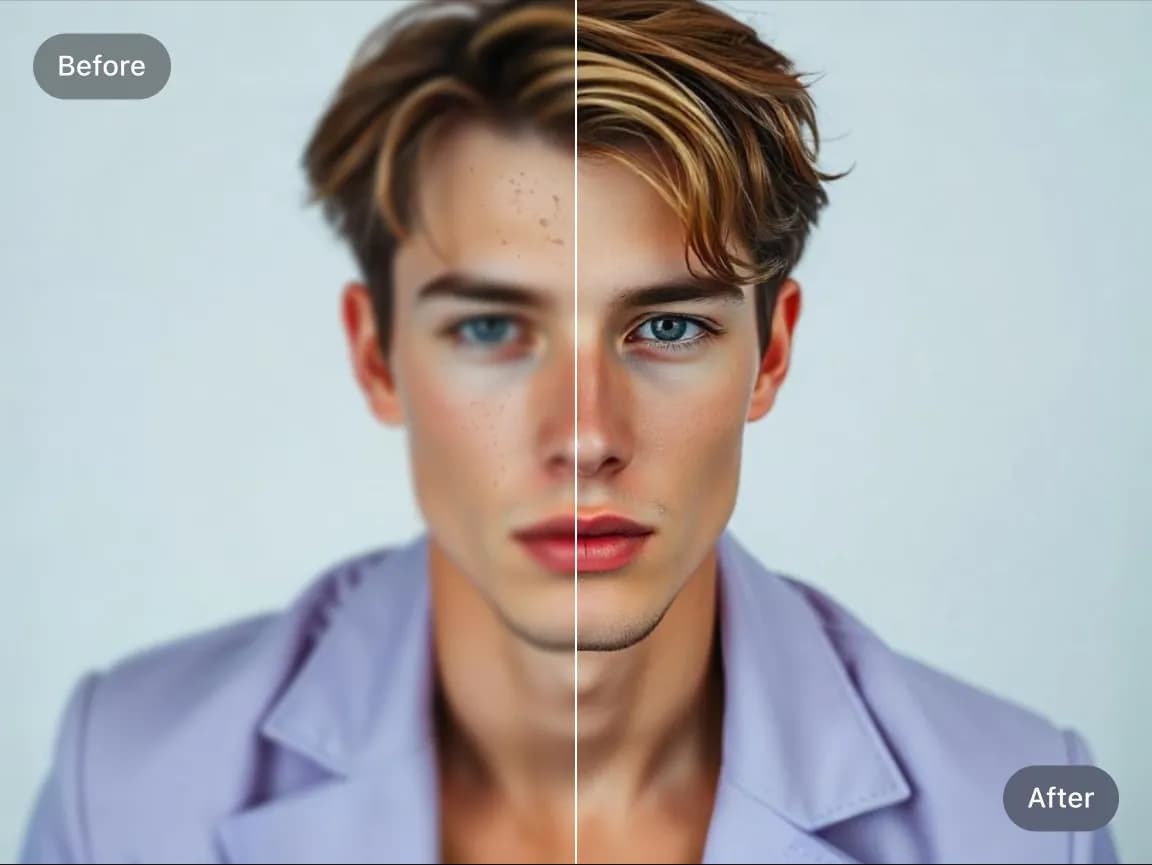
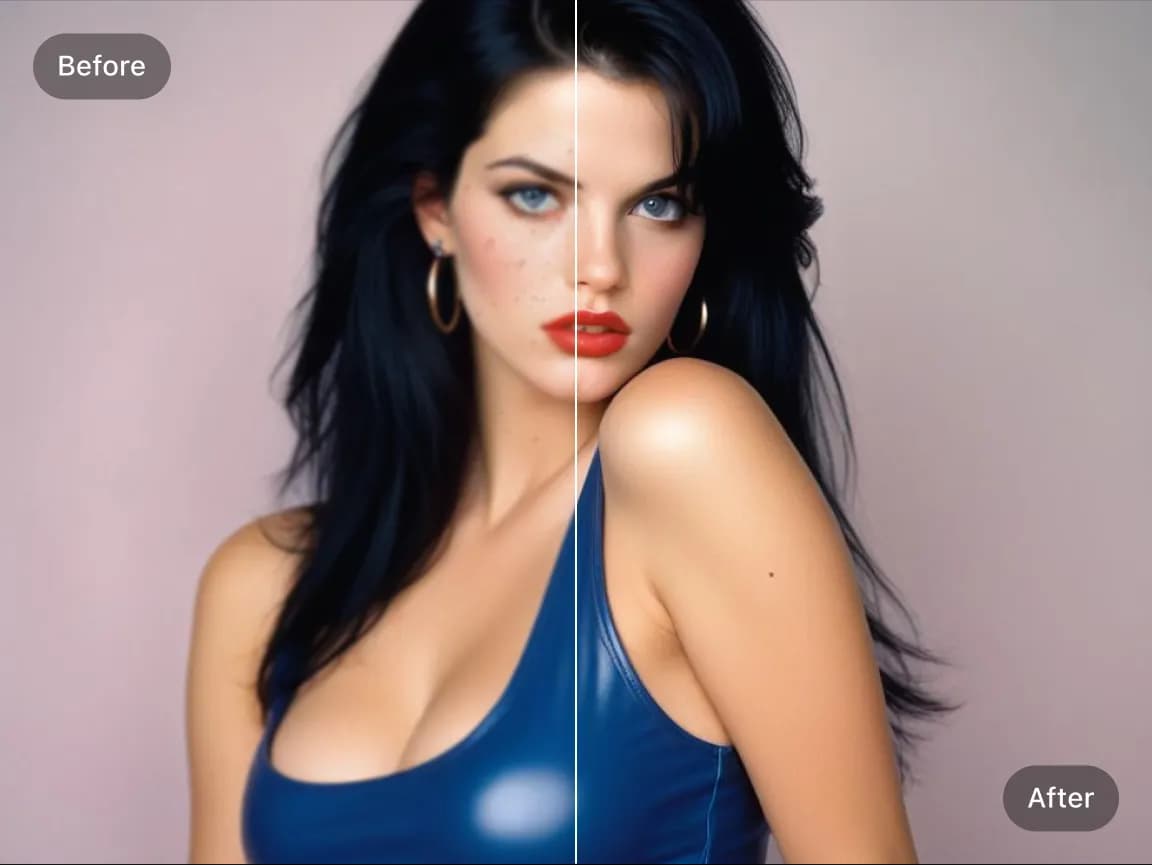
Enhance personal portraits, profile photos, professional headshots, and older face photos without complicated retouching controls. Results are designed to remain recognizable and balanced.
Choose a focused AI tool for enlarging, enhancing, repairing, or transforming an image instead of navigating a complicated editor.
Review the processed result alongside the original image before deciding whether to download it.
Upload an image, start the selected AI process, preview the result, and download it from your browser without installing software.
Work with common image formats such as JPG, PNG, and WebP, with exact format and file-size limits shown in each uploader.
Uploaded and processed images are automatically deleted within six hours instead of being kept as a permanent public gallery.
Try supported AI tools with free credits. Sign-in requirements, processing options, and usage limits may vary by tool and plan.
Find clear answers about using this Imglarger online image tool.
It improves facial clarity and visible portrait details such as eyes, hair, skin texture, and facial contours. It is most useful for faces that look soft, compressed, or low resolution.
The tool is designed primarily to improve portrait quality and facial clarity. It is not a precision beauty editor and may not remove specific acne, wrinkles, or individual blemishes.
The tool aims to preserve recognizable facial structure while improving clarity. Because AI may reconstruct unclear details, review the preview carefully, especially for very blurry or low-resolution faces.
Clear front-facing portraits, selfies, headshots, profile photos, and older face photos usually work best. Better lighting and a visible face generally produce more reliable results.
AI can improve mild blur and low-resolution facial details, but it cannot reliably recover information that is completely missing. Severe motion blur, tiny faces, or heavy obstruction may produce less accurate results.
AI Face Retouch supports JPG, JPEG, PNG, and WebP images. The uploader displays the current file-size limit before processing.
Yes. You can enhance facial clarity in older portraits and scanned family photos. For scratches or physical damage, use AI Old Photo Repair; for broader restoration and upscaling, use AI Photo Restoration.
No. Upload a portrait and start the automated process. You can compare the original and retouched versions before downloading the result.
Yes. The web-based tool works in modern browsers on desktop computers, tablets, iPhone, and Android devices.
Free credits may be available so you can try the tool before choosing a paid plan. Current credit requirements and usage limits are shown in the product interface.